
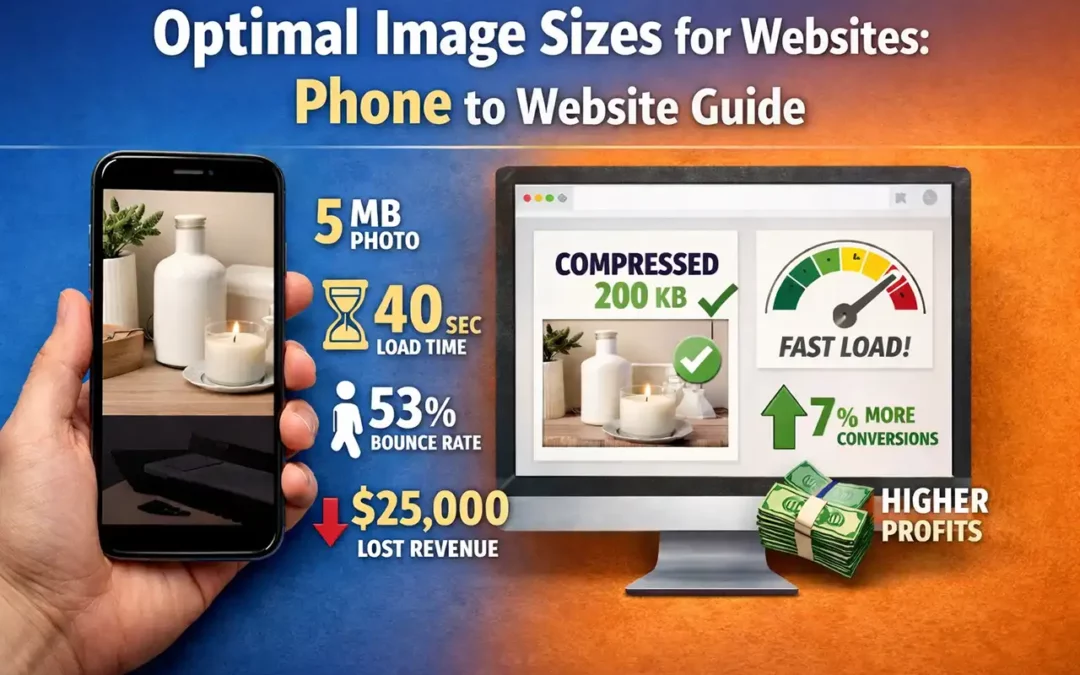
TL;DR
Phone photos are built for print-quality capture and often land in the 2–5MB range. Websites usually need images in the 50–250KB range to load fast, pass Core Web Vitals, and protect conversions. The fix is simple: resize + compress (preferably to WebP/AVIF), then upload the optimized versions—not the originals.
Core Answer
- Phone cameras commonly create 2–5MB images built for high detail.
- Most websites need images in the 50-250KB range (often less) to load fast.
- Small speed delays compound into measurable revenue loss and abandonment on mobile.
- Proper compression frequently cuts file size by 50–90% with no visible difference on-screen.
- The winning workflow is resize → compress → convert → upload, then let caching/CDN do the rest.
Why This Pattern Keeps Showing Up
After 30 years building websites, here’s the most common “silent performance killer” I see: images uploaded straight from a phone camera or a photographer’s Dropbox—no resizing, no compression, no modern format. It’s not carelessness. It’s a mismatch in priorities.
Your phone optimizes for capture quality. Social platforms optimize for you (they compress automatically). Your website does not. If you upload raw assets, your visitors pay the download cost—especially on mobile.
Bottom line: Phone cameras optimize for quality. Websites optimize for speed. That disconnect costs conversions.
What Happens When You Upload a 5MB Photo
A single 5MB hero image can turn a “fast enough” page into a painful wait. Add 4–5 images and you’re asking a mobile visitor to download 20–25MB just to see your content. On a gallery page, it gets worse.
The practical math: slow images create lost visitors, lost conversions, and lost word-of-mouth—because many users won’t wait, and plenty won’t come back.
I’ve seen businesses blame hosting, platforms, and plugins—when the real problem was simply massive image files.
What I Learned Moving From Print to Web
In print, big files make sense. There’s no transmission delay—you’re delivering pixels to a printer, not streaming them to a phone over the air. Web design flips the goal: you’re balancing quality with speed, and every kilobyte matters.
The mental shift is the hard part. Business owners associate “bigger” with “better,” especially after paying for professional photography. Compression feels like compromise—until you see the side-by-side on a live website and realize visitors can’t tell the difference.
The Specific Numbers You Need to Hit
These are practical targets that consistently improve performance on real client sites:
- Header / hero images: 50–80KB (when possible)
- Slider images (around 1280w × 400h): ~125KB (when possible)
- General content images: 50–250KB
Images often account for most of a page’s weight. One unoptimized image can be larger than all of your HTML/CSS/JS combined. And since Google’s “Speed Update” (page speed as a factor for mobile searches), slow experiences can also hurt visibility.
A simple rule that works: aim for ~10% of the original file size while keeping on-screen quality intact.
Which Tools Work for Image Compression
If you’re optimizing a handful of images, free tools are fine. If you’re managing dozens weekly (or selling this as a service), you want bulk processing.
Low volume (free or lightweight)
- Canva (basic resizing/export)
- GIMP (more control, still free)
- Online compressors for occasional use (great in a pinch)
High volume (50+ images / week)
- Adobe Photoshop (reliable exports + automation potential)
- Affinity Photo (strong alternative with batch workflows)
- WebP/AVIF pipelines (modern formats reduce size further)
Modern formats matter: WebP frequently produces substantially smaller files than older JPEG/PNG at similar visual quality, and AVIF can go even further depending on content.
What Happened After Optimization
I had a client spend $3,500 on beautiful product photography—then upload the originals directly. Her homepage took 40 seconds to load. She blamed hosting. She looked at pricier servers. She considered switching platforms.
The fix: resize + compress + convert + lazy load. After optimization, the site dropped to under two seconds. Within a couple weeks, she reported a noticeable lift because visitors finally stuck around long enough to browse.
Real-world takeaway: performance work doesn’t replace creative work. It enables it. If your images don’t load fast, your best photography never gets seen.
How This Applies to Your Site
If you have four or five images per page and each one is multi-megabyte, you’re compounding load time—especially on mobile. That can break Core Web Vitals, spike bounce rate, and shrink conversions.
The practical workflow is straightforward:
- Resize to the maximum display dimensions you actually need (don’t upload 4000px wide images for a 1200px container).
- Compress aggressively until you can’t see a difference on-screen.
- Convert to WebP (or AVIF if your stack supports it well) and keep JPEG/PNG only when needed.
- Lazy-load below-the-fold images so the page becomes usable immediately.
- Serve responsive sizes (srcset) so mobile devices don’t download desktop assets.
Four Style Guide Elements for Image Consistency
When I build an image style guide for a client, these are the non-negotiables:
- Color palette rules: keep imagery aligned with brand colors and tone.
- Aspect ratios by placement: define 16:9 / 4:3 / 1:1 / 9:16 usage so pages look intentional.
- Lighting direction & mood: consistent visual “feel” across the site.
- File format & size targets: WebP/AVIF preference, plus KB caps by image type.
Also: plan “quiet space” in key graphics so text overlays stay legible (no busy detail behind headlines).
What Three Decades Taught Me About Image Optimization
The technical steps are easy. The mindset is the challenge. Once you see that a 50KB compressed image can look identical on-screen to a 5MB original—while loading dramatically faster—everything clicks.
Your visitors don’t see metadata. They see the image. If the page is slow, they might never see it at all.
Frequently Asked Questions
What file size should my website images be?
Use these targets:
50–80KB for header images when possible,
125KB for slider-style images,
50-250KB for general content images.
Phone photos are often 2–5MB—usually far too large for web use.
How much does slow load time hurt conversions?
Small delays can create measurable drops. If your site earns roughly $1,000/day, even minor conversion loss adds up fast—often into five figures annually.
What percentage of users abandon slow loading sites?
Mobile users are impatient. If a page doesn’t load quickly, many people leave and don’t return. That’s why speed is a revenue lever, not just a “tech thing.”
Which tools work best for image compression?
For small batches: Canva or GIMP. For ongoing production and bulk processing: Photoshop or Affinity Photo—plus a WebP/AVIF export workflow.
Does compression reduce image quality?
If done correctly, visitors can’t see a difference—what they notice is that the site feels fast. The goal is “same look, smaller file.”
How do images affect SEO rankings?
Performance affects user behavior (bounce, engagement), and Google has explicitly used page speed as part of mobile ranking signals. Faster sites tend to keep users longer,
which supports stronger outcomes across search and conversions.
What’s the biggest mistake business owners make with images?
Uploading originals directly from a phone or photographer without resizing/compression—then troubleshooting everything else instead of the actual bottleneck.
How much can optimization reduce page load size?
It’s common to cut image weight by 50%+, and in many cases far more—especially when converting from huge JPEG/PNG files to properly sized WebP.
Key Takeaways
- Stop uploading originals. Resize and compress first.
- Aim for KB targets (often 50–500KB) instead of multi-megabyte files.
- Use modern formats (WebP/AVIF) where possible.
- Speed protects revenue. Fast sites keep visitors long enough to buy, book, or call.
- Creative + technical wins. Great photos matter—but only if they load.

About Glenn Brooks
Glenn Brooks is the founder of WebWize, Inc. WebWize has provided web design, development, hosting, SEO and email services since 1994. Glenn graduated from SWTSU with a degree in Commercial Art and worked in the advertising, marketing, and printing industries for 18 years before starting WebWize.