
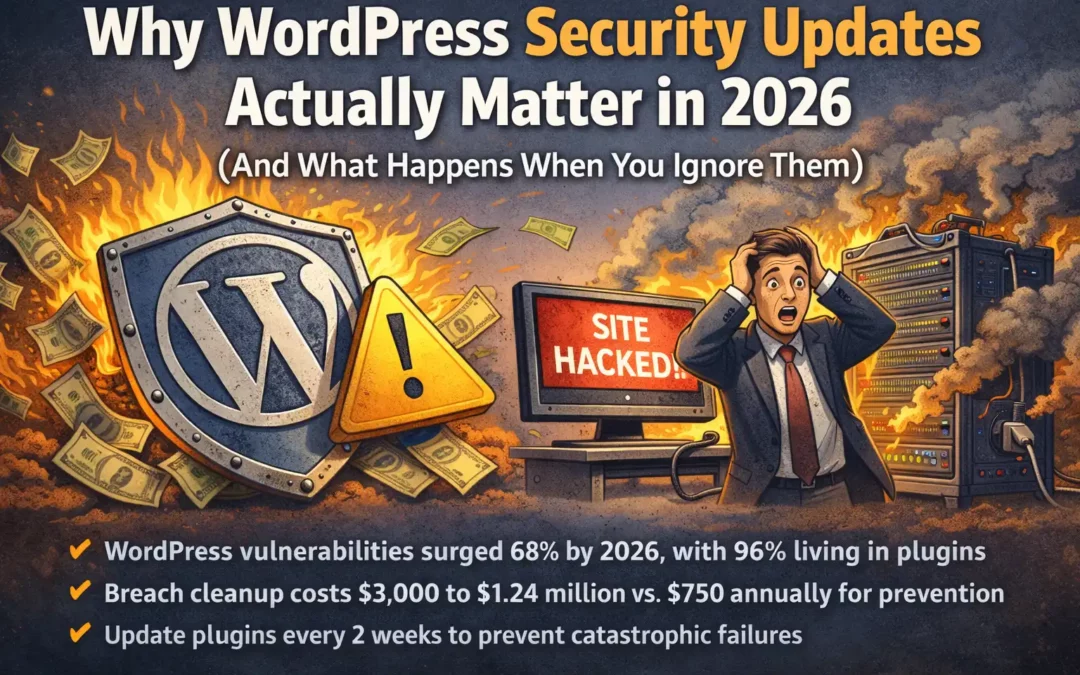
TL;DR: WordPress vulnerabilities increased 68% year-over-year by 2026, with 96% living in plugins. Ignoring updates costs businesses $3,000 to $1.24 million in cleanup versus $750 annually for prevention. Update plugins every two weeks in small batches, delete unused themes and plugins, and use premium plugins for critical functions to stay protected.
Core Answer:
- 7,966 new WordPress vulnerabilities emerged in 2024 alone, with a 68% surge by 2026
- 96% of security flaws exist in plugins, not WordPress core
- Breach cleanup costs $3,000 minimum versus $750 yearly for preventive maintenance
- 43% of vulnerabilities need no authentication to exploit your site
- Update plugins every two weeks in batches of 3 to 5 to prevent catastrophic failures
In 2024, researchers found 7,966 new vulnerabilities in the WordPress ecosystem.
That number jumped 34% over 2023. By 2026, vulnerabilities surged 68% year over year… and 96% of those flaws live in plugins, not WordPress itself.
I’ve been building websites for 30 years. I’ve watched this problem compound into something bigger every year. The pattern stays the same: business owners skip updates until something breaks… then they’re surprised when the fix costs four times what prevention would’ve cost.
What I learned about WordPress security updates, why they matter more now, and how to stay protected without turning into a full time IT person.
What Ignoring Updates Costs You
A client reached out because they thought their site got hacked.
They were right. The cleanup ran them around $3,000 to redo chunks of their site and scrub malware out of the code. They would’ve paid roughly $750 per year for proactive update service. That’s a 4x cost multiplier in year one alone.
The financial hit is where it starts, not where it ends. Small businesses face data breach costs from $120,000 to $1.24 million in 2025. 60% go out of business within six months of a cyberattack.
Worst example I’ve seen: one client had a 40 to 50 page informational site that got hacked so badly nothing was recoverable. They treated their website as the only copy of their content… years of work gone because they skipped backups and updates.
Bottom line: Prevention costs $750 yearly. Cleanup starts at $3,000. Serious breaches run $120,000 to $1.24 million. The math isn’t complicated.
What Breaks When You Update (And Why)
The fear of clicking that update button is real.
Plugins get built by different developers who don’t coordinate with each other. When one updates, it expects something different from WordPress or another plugin. The wiring stops matching up.
What I learned through 30 years of doing this: don’t update plugins every 60 to 90 days. Update them every two weeks minimum.
The danger isn’t updating… it’s updating everything at once after you’ve fallen behind.
Plugins are easy to update with low risk when you stay current. Third party updates to e commerce plugins like WooCommerce will break things if you haven’t been updating the add ons incrementally. WooCommerce updates expect the extensions to already be current.
Don’t update 15 to 25 plugins all at once. Update a few at a time. Test the site. Then move to the next batch.
What this means: Frequent small updates prevent catastrophic failures. Infrequent massive updates guarantee them.
How Hackers Exploit Outdated Plugins
In one week of September 2025, 254 new vulnerabilities emerged across the WordPress ecosystem.
Wordfence blocked 8.7 million attack attempts in two days (October 8 to 9, 2025) targeting outdated GutenKit and Hunk Companion plugins. Hackers started exploiting a Post SMTP vulnerability within days of disclosure. Over 4,500 attacks got blocked in the first day alone.
What these attacks do to your site:
Cross Site Scripting (XSS) accounts for 53.3% of new WordPress vulnerabilities. Attackers inject malicious scripts that steal sessions or cookies. You won’t know it’s happening until customer data gets compromised.
SQL injection vulnerabilities in old plugins with sloppy database handling let hackers insert malicious queries. They read, modify, or delete everything in your database. Complete compromise.
Remote Code Execution (RCE) vulnerabilities let hackers run commands on your server. Outdated plugins become the entry point. They use your site for spam, phishing, or DDoS attacks while you’re completely unaware.
The number that matters: 43% of WordPress vulnerabilities need zero authentication to exploit. Attackers compromise websites without login credentials.
Key insight: Nearly half of all WordPress vulnerabilities get exploited without hackers needing to log in. Your outdated plugins are open doors.
The Avoidance Pattern Most Business Owners Fall Into
The workaround I see most often: business owners stop using certain features entirely.
They avoid editing specific pages because “the page acts weird.” They tell their team “don’t touch the gallery section, it breaks things.” They build their entire workflow around the dysfunction instead of fixing the root problem.
Wild part… they don’t realize they’re doing this until you point it out. Then it clicks. “Oh yeah, I haven’t updated my services page in two years because it crashes the editor.”
Multiple clients were losing six hours every Monday morning dealing with website issues. Both handed update management to us. The Monday morning time sink disappeared. They moved on to productive weeks instead of fighting their own website.
Pattern recognition: When you start avoiding parts of your own website, that’s a symptom of deferred maintenance turning into operational dysfunction.
Why 2026 Is Different From Five Years Ago
WordPress is the number one platform in the world.
More WordPress sites means more sites getting ignored by their owners… which makes it easier for hackers to get in. The platform’s success turned it into the primary target.
Volume isn’t the shift alone. Hackers evolved from simple attacks to ransomware, SEO hijacking, and competitive sabotage. AI driven botnets increased brute force attacks by 45% since January 2025. Automated login attempts nearly doubled.
AI cuts the time it takes to weaponize a vulnerability. It creates polymorphic malware that stays hidden from pattern based scanners. One in six breaches in 2025 involved AI driven attacks.
What most people miss: your site exists in an ecosystem that evolves constantly. When browsers update security policies or stop supporting old features (Chrome dropped certain JavaScript functions), themes and plugins relying on those features break… even though you didn’t touch anything.
Same pattern plays out when hosting providers update PHP versions or server configurations for security. Older WordPress code written for PHP 7.2 crashes on PHP 8.0 because of deprecated functions or syntax changes.
Standing still means moving backward. The environment shifts underneath you whether you update or not.
The shift: AI weaponized vulnerabilities faster, attacks doubled, and your site’s environment changes whether you participate or not. Inaction is a choice with compounding consequences.
Technical Debt Compounds Faster Than You Think
When you skip an update, you’re not missing new features… you’re building a compounding problem.
Skip a WordPress core update and plugin developers start building for the newer version. Your plugins become incompatible. You lose access to security patches for them. Eventually, one update means fixing multiple broken dependencies at once.
That’s more expensive and riskier than incremental updates would’ve been.
The cascade works like this: each skipped update widens the gap between where you are and where the ecosystem expects you to be. You end up facing a high risk, high cost catch up project instead of routine maintenance.
Organizations took an average of 204 days to identify a breach and another 73 days to contain it. That’s over eight months of exposure. Companies that discovered and contained breaches in under 200 days saved over $1 million compared to those that took longer.
Math breakdown: Skip updates for six months and you’re not six months behind. You’re facing a complete dependency rebuild that costs 10x more than staying current would’ve cost.
What Happens During a Hack
An e commerce client’s site got hacked. They were losing $5,000 to $10,000 daily in orders.
We cleaned it up with software and manual intervention… around 48 hours of coding time. Orders started flowing again immediately. We got the Google penalty removed. The site loaded fast again. Sales resumed.
The brand damage part is harder to measure. When your site gets hacked and Google penalizes you, it displays “this site has been hacked” right where your listing would appear in search results.
That’s the nightmare scenario.
Your brand becomes known as a hacked site… as a business that wasn’t proactive enough to keep its own site secure. People see that and think: “If they’re not keeping their own business online and secure, how do I know they’ll deliver a good product or service?”
The reputational cost is brutal.
Real world impact: Lost revenue is immediate and measurable. Lost trust shows up in conversion rates, customer lifetime value, and deals you never close because someone searched you first.
The Attack Surfaces Everyone Forgets
Themes need updates too.
Plugins get all the attention, but themes need continuous updating and patching. Delete any themes you’re not using.
WordPress sites often have two or three themes installed while using one. Delete the unused themes. Keep the active theme updated.
Same rules apply to plugins. In December 2025 alone, over 150 plugins got removed from the official WordPress repository because of unpatched security issues or developer inactivity.
These “Zombie Plugins” will never get patched. About 35% of all WordPress vulnerabilities disclosed in 2024 stayed unpatched in 2025. Deletion is your only safe move.
When I take over WordPress update management for a client, I start by auditing the backend. What plugins are they using? What features and functions do they need? Is this e commerce? How many of these plugins do we recognize?
Then I follow up with questions. What plugins do they need versus what’s left over from months or years ago that they don’t use anymore… plugins sitting there with security holes.
The process: review the site, then go plugin by plugin to confirm they still need it or even remember what it was for.
Audit checklist: Unused themes are vulnerabilities. Zombie plugins with no developer support are time bombs waiting to detonate. If you don’t use it, delete it.
Why Premium Plugins Are Worth the Cost
Premium plugins get paid for. Developers spending time on them get compensated for that time.
Free plugins have a sustainability problem.
When someone builds a plugin for free, the odds are high the developer won’t spend much time fixing bugs, adding features, or improving functionality. Free plugins tend to get hacked or become vulnerable first because there’s no business model supporting ongoing maintenance.
Over 800 plugin developers joined Patchstack’s free managed Vulnerability Disclosure Program (mVDP), speeding up their response to security bugs. Premium plugins and themes have better security track records because their business models fund ongoing maintenance, security patches, and feature development.
Context matters: WordPress Core had only 7 vulnerabilities in 2024 (none broadly significant) compared to thousands in third party extensions.
Economics of security: Free plugins depend on volunteer time. Premium plugins fund full time security maintenance. The $50 to $200 you pay annually buys you consistent patches and support.
Your Maintenance Framework for Staying Protected
What I recommend after 30 years of building and maintaining websites:
Every Two Weeks:
- Update plugins in small batches (3 to 5 at a time)
- Test your site after each batch
- Check for plugin conflicts or broken features
- Update your active theme
Monthly:
- Review your plugin list and delete anything unused
- Delete inactive themes
- Flag plugins that haven’t been updated in 6 plus months
- Run a malware scan using a security plugin
Quarterly:
- Audit your entire plugin stack
- Research alternatives for abandoned plugins
- Review your hosting provider’s PHP version
- Verify your backup system works
After a Hack (if it happens):
- Small sites (2 to 3 pages): start completely over
- WooCommerce sites: you need to salvage the database
- Scrub the site clean of malicious code
- Run multiple malware scans
- Switch to a security plugin subscription that monitors continuously
- Move off server farm low end hosting to business level hosting
- Get on a subscription security model to prevent repeat breaches
Implementation rhythm: Two week updates prevent emergencies. Monthly reviews catch abandoned plugins. Quarterly audits keep you aligned with ecosystem changes.
Should You Handle Updates Yourself or Delegate?
Good candidates for DIY: someone with a small site, extra time to learn WordPress and security, and 30 minutes to an hour (sometimes more) to dedicate to updates.
Then there are business owners who want to hand it off. They don’t want to deal with it. They want someone else to handle it properly while they focus on running their business.
The decision comes down to whether you want to learn this and have time for it, or you’d rather have someone manage it so you do what you do best.
We keep their websites fast, secure, and running. They run their businesses.
The decision isn’t about technical ability. It’s about time, interest in learning, and business priorities. Small site plus willingness to learn equals DIY candidate. Everyone else benefits from delegation to focus on what drives revenue.
Decision framework: If updating your site feels like a distraction from your business, it is. Delegate it. If you’re learning WordPress and have a small site, DIY makes sense.
Frequently Asked Questions
How often should I update WordPress plugins?
Update plugins every two weeks in small batches of 3 to 5 plugins at a time. Test your site after each batch to catch conflicts early. Updating everything at once after falling behind is when things break.
What’s the real cost difference between prevention and cleanup?
Prevention runs about $750 annually for managed update services. Cleanup starts at $3,000 for basic malware removal. Serious breaches cost $120,000 to $1.24 million when you factor in lost revenue, reputation damage, and recovery time.
Why do free plugins have more security vulnerabilities?
Free plugins depend on volunteer developer time. There’s no sustainable business model funding ongoing security patches, bug fixes, or feature updates. Premium plugins fund full time maintenance teams that respond faster to vulnerabilities.
What are zombie plugins and why are they dangerous?
Zombie plugins are abandoned by their developers and never receive security patches. About 35% of WordPress vulnerabilities disclosed in 2024 remained unpatched in 2025. If a plugin hasn’t been updated in 6 plus months, research alternatives or delete it.
How do hackers exploit outdated WordPress plugins?
43% of WordPress vulnerabilities need zero authentication to exploit. Hackers use Cross Site Scripting (XSS) to steal session data, SQL injection to compromise databases, and Remote Code Execution (RCE) to run commands on your server. Outdated plugins are the entry point.
Should I delete unused WordPress themes?
Yes. Unused themes are security vulnerabilities. WordPress sites often have multiple themes installed but only use one. Delete inactive themes and keep your active theme updated.
When should I hire someone to manage WordPress updates instead of doing it myself?
If updating your site feels like a distraction from running your business, delegate it. DIY makes sense for small sites when you have time and interest in learning WordPress security. Everyone else benefits from letting specialists handle maintenance.
What happens to my Google ranking if my site gets hacked?
Google displays “this site has been hacked” where your search listing would appear. The SEO penalty tanks your rankings. The reputational damage is harder to measure but shows up in conversion rates and lost customer trust.
Key Takeaways
- WordPress vulnerabilities surged 68% by 2026, with 96% living in plugins rather than WordPress core
- Breach cleanup costs $3,000 to $1.24 million versus $750 annually for preventive maintenance
- Update plugins every two weeks in batches of 3 to 5 to prevent catastrophic failures from mass updates
- 43% of WordPress vulnerabilities need no authentication, turning outdated plugins into open doors for hackers
- Delete unused themes and zombie plugins (not updated in 6 plus months) to eliminate attack surfaces
- Premium plugins fund ongoing security maintenance while free plugins depend on volunteer time
- Skipping updates creates compounding technical debt that costs 10x more to fix than staying current